
Download iFeedPod – Free RSS & Atom Feed Downloader for Mac
Overview
iFeedPod is a lightweight, free utility designed exclusively for macOS users who want to bring their favorite RSS and Atom feeds directly onto their iPod. First released in 2006, the application has evolved into a reliable, low‑memory‑footprint tool that synchronizes news streams with iPods, allowing you to stay updated even when you’re offline. The current version, 1.12, was updated on 1 April 2007 and introduces a recompiled universal binary that runs seamlessly on both Intel‑based Macs (OS X 10.4 and later) and older PowerPC machines. iFeedPod falls under the “Internet Software” category with a subcategory of “News (RSS)”, emphasizing its focus on feed aggregation and portable media synchronization. Its minimalistic interface, combined with strong support for both RSS 2.0 and Atom 1.0 specifications, makes it a solid choice for anyone looking to extend the iPod’s functionality beyond music and video.
Key Features & Compatibility
- Direct download of RSS and Atom feeds to iPod storage.
- Universal binary support for Intel and PowerPC Macs running OS X 10.4 or newer.
- Automatic feed parsing with improved handling of Atom namespaces.
- Customizable update intervals to keep content fresh without draining bandwidth.
- Low memory usage – occupies far less space than typical internet software suites.
- Simple drag‑and‑drop interface for adding or removing feeds.
- Support for multiple iPod models, including classic, Nano, and Shuffle.
- English language UI with clear icons and tooltips for beginners.
Compatibility is a cornerstone of iFeedPod’s design. The software runs on macOS versions from 10.3 (Panther) through 10.6 (Snow Leopard), ensuring that users with older hardware can still benefit from its feed syncing capabilities. The universal binary means the same executable file detects the processor architecture at launch, eliminating the need for separate downloads. Additionally, iFeedPod respects the iPod’s internal file structure, placing feed files in a dedicated “iFeedPod” folder that the iPod can read natively, avoiding any corruption of existing music or video libraries.
Installation & Usage Guide
Step‑by‑Step Installation
Installing iFeedPod is straightforward, even for users unfamiliar with macOS utilities. First, download the installer from the official website or a trusted software catalog. The file is a compressed .dmg image, typically under 5 MB, reflecting the program’s small footprint. Open the .dmg and drag the iFeedPod icon into your Applications folder. macOS may prompt you to confirm that you trust the developer; simply click “Open” to proceed. After copying, eject the .dmg and launch iFeedPod from the Applications folder.
Initial Configuration
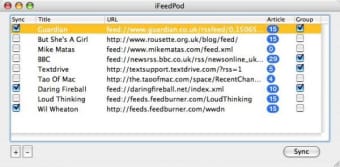
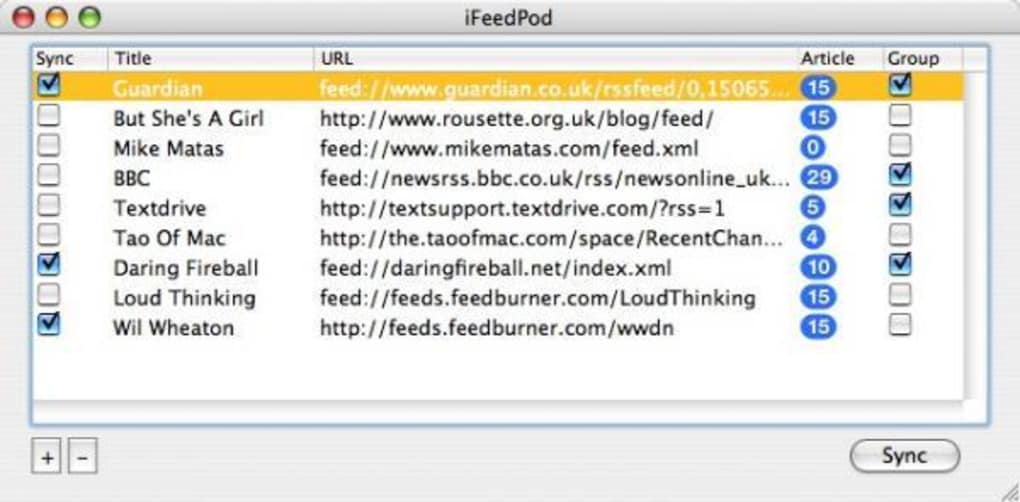
Upon first launch, iFeedPod presents a clean window with three primary panels: “Available Feeds,” “iPod Device,” and “Preferences.” Click the “Add Feed” button to paste the URL of any RSS or Atom feed you wish to follow. The software validates the URL, fetches the latest items, and displays a preview. You can assign a custom name to each feed for easier identification on the iPod’s menu system.
Syncing to Your iPod
Connect your iPod via USB; iFeedPod automatically detects the device and lists it under the “iPod Device” panel. Choose the feeds you want to sync by checking the corresponding boxes. You can also set a schedule in the “Preferences” section, allowing the app to refresh feeds every few hours while the iPod remains connected. Once ready, click “Sync Now.” The program downloads the latest articles, converts them into plain‑text or HTML snippets (based on your preference), and copies them to the iPod’s “iFeedPod” folder. When you disconnect the iPod, the new feed items appear in the iPod’s built‑in “Podcasts” or “News” menu, ready for offline reading.
Supported Operating Systems: macOS 10.3 (Panther) up to macOS 10.6 (Snow Leopard), both Intel and PowerPC architectures.
Pros, Cons, and Frequently Asked Questions
Pros
- Free and lightweight – ideal for older Macs.
- Universal binary ensures compatibility across Intel and PowerPC Macs.
- Seamless integration with iPod’s native file system.
- Supports both RSS and Atom standards, with improved Atom handling.
- Simple UI that doesn’t overwhelm beginners.
Cons
- Last updated in 2007, so it may lack support for newer macOS versions beyond Snow Leopard.
- No built‑in support for iOS devices – limited to iPods.
- No automatic cloud backup of downloaded feeds.
- English‑only interface; no localization for other languages.
- Feature set is basic; power users might miss advanced filtering options.
FAQ – iFeedPod
Can iFeedPod sync feeds to an iPhone or iPad?
No. iFeedPod is specifically built for classic iPods, iPod Nano, and iPod Shuffle. It does not support iOS devices, which require different synchronization methods.
Is iFeedPod compatible with macOS Catalina or later?
Officially, iFeedPod was last updated for macOS 10.6 (Snow Leopard). While the universal binary may still run on newer macOS versions, you might encounter compatibility warnings or missing permissions. Users on Catalina or later are advised to run the app in a legacy environment or consider alternative RSS‑to‑iPod tools.
How does iFeedPod handle large RSS feeds?
The application downloads the latest items up to a user‑defined limit (default is 50 items per feed). This prevents the iPod’s storage from being overwhelmed. You can adjust the limit in the Preferences panel.
Does iFeedPod support secure (HTTPS) feed URLs?
Yes. iFeedPod can retrieve feeds over HTTPS, provided the SSL certificate is valid. In case of an invalid certificate, the app will display a warning and skip that feed.
Can I export the list of subscribed feeds?
iFeedPod includes an “Export Feeds” option that saves all feed URLs to an OPML file. This file can be imported into other RSS readers or re‑imported into iFeedPod after a fresh install.
Conclusion & Call to Action
iFeedPod remains a niche yet valuable tool for Mac users who still cherish their iPods as portable news readers. Its free price tag, tiny installation size, and robust handling of both RSS and Atom feeds make it an attractive option for anyone who wants offline access to their favorite blogs, podcasts, or news sites. While the lack of recent updates limits its appeal for newer macOS versions and iOS devices, the program’s core functionality still works reliably on supported systems.
If you own a compatible iPod and are looking for a straightforward way to bring your RSS world onto it, give iFeedPod a try. Download the installer, add a few feeds, and enjoy fresh content on the go—no internet connection required once the sync is complete.
Ready to get started? Free download iFeedPod today and transform your iPod into a pocket‑sized news hub.







